A security awareness training program teaches your team to spot phishing, scams and risky behavior before they cost you money. The ones that work share four traits: short lessons people actually finish, realistic phishing simulations, a one-click way to report suspicious email, and results you can show an insurer or auditor. You can have a solid program running in about a month.
Traditional IT support would tell you training is a once-a-year video everyone clicks through. That checks a box, but it doesn't change what happens when a convincing "your invoice is overdue" email lands in someone's inbox at 4:45 on a Friday. The goal isn't a completion certificate. It's a team that pauses, checks and reports.
Key takeaways
- Short, frequent lessons beat a long annual session. Aim for a few minutes a month.
- Phishing simulations show who needs help and which tricks work on your team. Use them to teach, not to shame.
- Make reporting easy and thank people for it. A fast report lets IT pull the same email from everyone's inbox.
- HIPAA requires a security awareness program for healthcare organizations, and the FTC Safeguards Rule requires one for many financial businesses, including tax preparers.
Why does security awareness training matter?
Most attacks on small businesses don't start with a hacker breaking through a firewall. They start with an email: a fake Microsoft login page, a vendor asking to "update" payment details, a voicemail notification with a malicious link. Good tools stop most of them, but some always get through. Training is what catches the rest.
For some businesses it's also required. The HIPAA Security Rule says covered entities must "implement a security awareness and training program for all members of its workforce (including management)." The FTC Safeguards Rule, which covers many financial businesses including tax preparation firms and mortgage brokers, tells them to "provide your people with security awareness training and schedule regular refreshers."
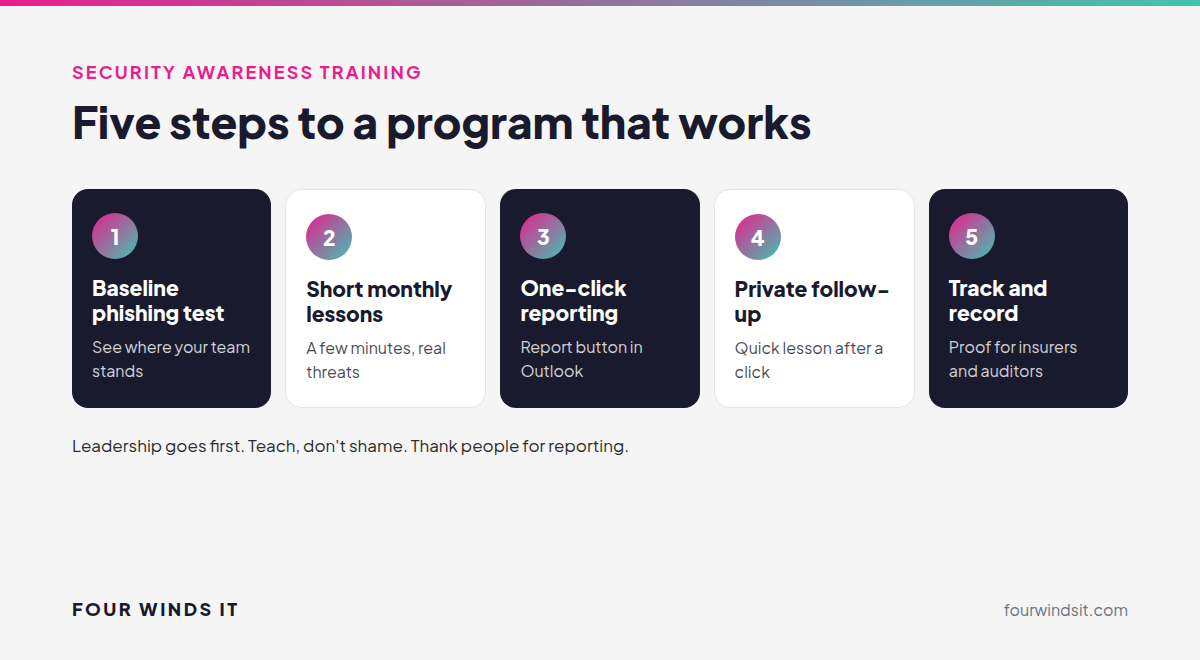
How to roll out a training program, step by step
Step 1: Run a baseline phishing test
Before any training, send a realistic simulated phishing email to see where you stand. Don't announce it. The results show which kinds of messages fool your team and give you a starting point to measure progress.
Step 2: Start short, regular lessons
Assign brief lessons, a few minutes each, on a monthly schedule. Cover the threats your team actually sees: phishing, payment and wire fraud, password reuse, MFA prompts they didn't request and safe use of AI tools. Short and regular sticks far better than an hour once a year.
Step 3: Make reporting one click
Give everyone a Report button in Outlook and make it clear that reporting a suspicious email is always the right call, even if it turns out to be harmless. The faster IT hears about a phishing email, the faster it can be pulled from every other inbox. Our guide to email security tips covers the habits that matter most.
Step 4: Follow up with the people who need it
Keep running simulations every month or two, with different tricks each time. When someone clicks, send them a short lesson on what they missed, privately. People learn more from a two-minute lesson right after a mistake than from any annual session.
Step 5: Track results and keep records
Watch click rates go down and report rates go up over time. Keep completion records for every employee, including leadership. Cyber insurance applications ask about training, and if you're under HIPAA or the Safeguards Rule, you'll want proof the program exists and is running.
What makes training actually work?
- Leadership goes first. Executives and finance staff are the most targeted people in most businesses. If they're exempt, the program isn't real.
- No public shaming. People who fear getting in trouble hide mistakes. People who feel safe report them quickly.
- Real examples. Use the phishing emails your own team has received. Nothing teaches faster than "this one came to us last week."
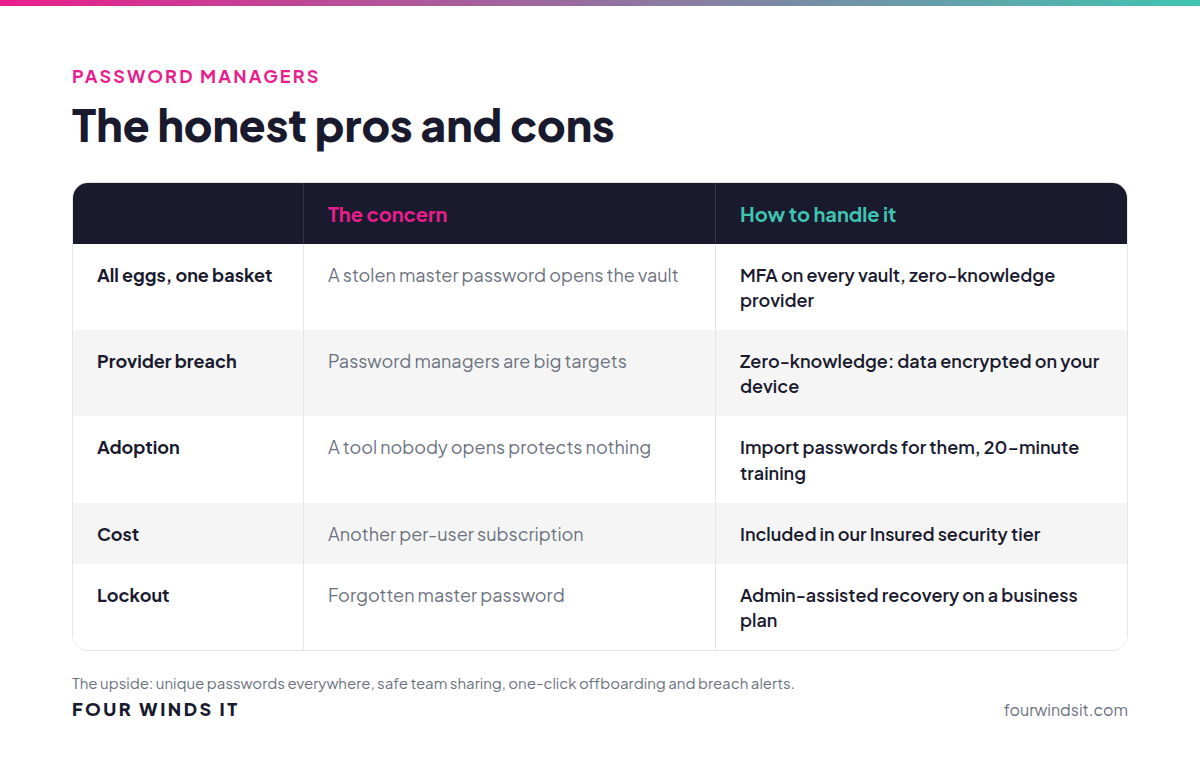
- Pair it with the right tools. Training works best alongside MFA and a password manager, so one mistake doesn't turn into a breach.
Security awareness training sits in the "Insured" tier of our cybersecurity framework because it's one of the controls cyber insurance carriers ask about. Like every security layer we offer, it can be added on its own. See how our security awareness training works.
Frequently asked questions
What is security awareness training?
A program that teaches employees to recognize and report threats like phishing emails, payment fraud and suspicious login prompts, usually through short online lessons and simulated phishing emails.
How often should employees do security training?
Short lessons every month, plus phishing simulations every month or two, work far better than a single annual session. Regular practice keeps the habits fresh as attacks change.
Is security awareness training required?
For some businesses, yes. The HIPAA Security Rule requires a security awareness and training program for healthcare organizations' entire workforce, and the FTC Safeguards Rule requires training for many financial businesses, including tax preparers and mortgage brokers. Cyber insurers also commonly ask about it.
Are phishing simulations fair to employees?
Yes, when they're used to teach. Simulations show people what real attacks look like in a safe setting. The key is private follow-up training, not public call-outs.
What should employees do if they click a phishing link?
Report it to IT right away, even if nothing seemed to happen. Change the password for any account they entered and let IT review recent sign-ins. Speed matters far more than blame.
How much time does training take each month?
A few minutes per employee for lessons, plus a quick glance at each simulated email. Once it's set up, the platform runs on a schedule, and we handle the setup, reporting and follow-up. Training is priced per user per month and can be added to your agreement on its own.
Ready to turn your team into your best defense?
We get it. Nobody wants to sit through another training video. We set up short, practical training and realistic phishing tests, handle the reporting for your insurer or auditor and help your team build habits that stick, with local engineers who answer the phone. Talk to our team.
Sources

 Dylan Borden : Apr 7, 2025, 11:45:00 AM